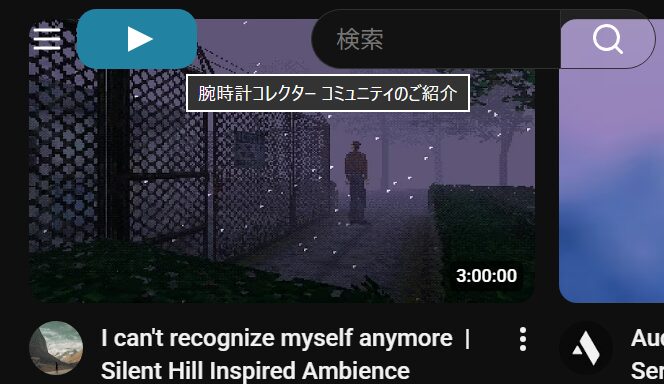
youtubeのトップページの左上サイトアイコンが、毎度アニメーションしていちいちうるさいので差し替えてみる。
AI様にお伺いして、CSSで三角形(▶)を作ってみた。
アイコンの色変えるだけでサイトの印象変わる。
ソースコード
/* トップページの左上サイトアイコンを差し替え */

picture.style-scope.ytd-yoodle-renderer img.style-scope.ytd-yoodle-renderer{
    display: none;
}
picture.style-scope.ytd-yoodle-renderer{
    background-color:#2282a2 !important;
    width: 75px;
    height: 40px;
    border-radius:13px;
}


/* 親要素(三角形を中央に配置したい領域) */
picture.style-scope.ytd-yoodle-renderer {
  display: flex;
  justify-content: center; /* 水平中央 */
  align-items: center; /* 垂直中央 */
    padding-left:5px;

}

/* clip-pathで右向き三角形を作成し、要素を中央配置 */
source {
  width: 17px;  /* 三角形の幅(底辺の長さ) */
  height: 17px; /* 三角形の高さ(頂点から底辺まで) */
  background-color: #fff;


  /* clip-pathで右向き三角形を作成 */
  /* 頂点の座標を指定 (100% 50%, 0% 0%, 0% 100%) */
  clip-path: polygon(100% 50%, 0% 0%, 0% 100%);
}