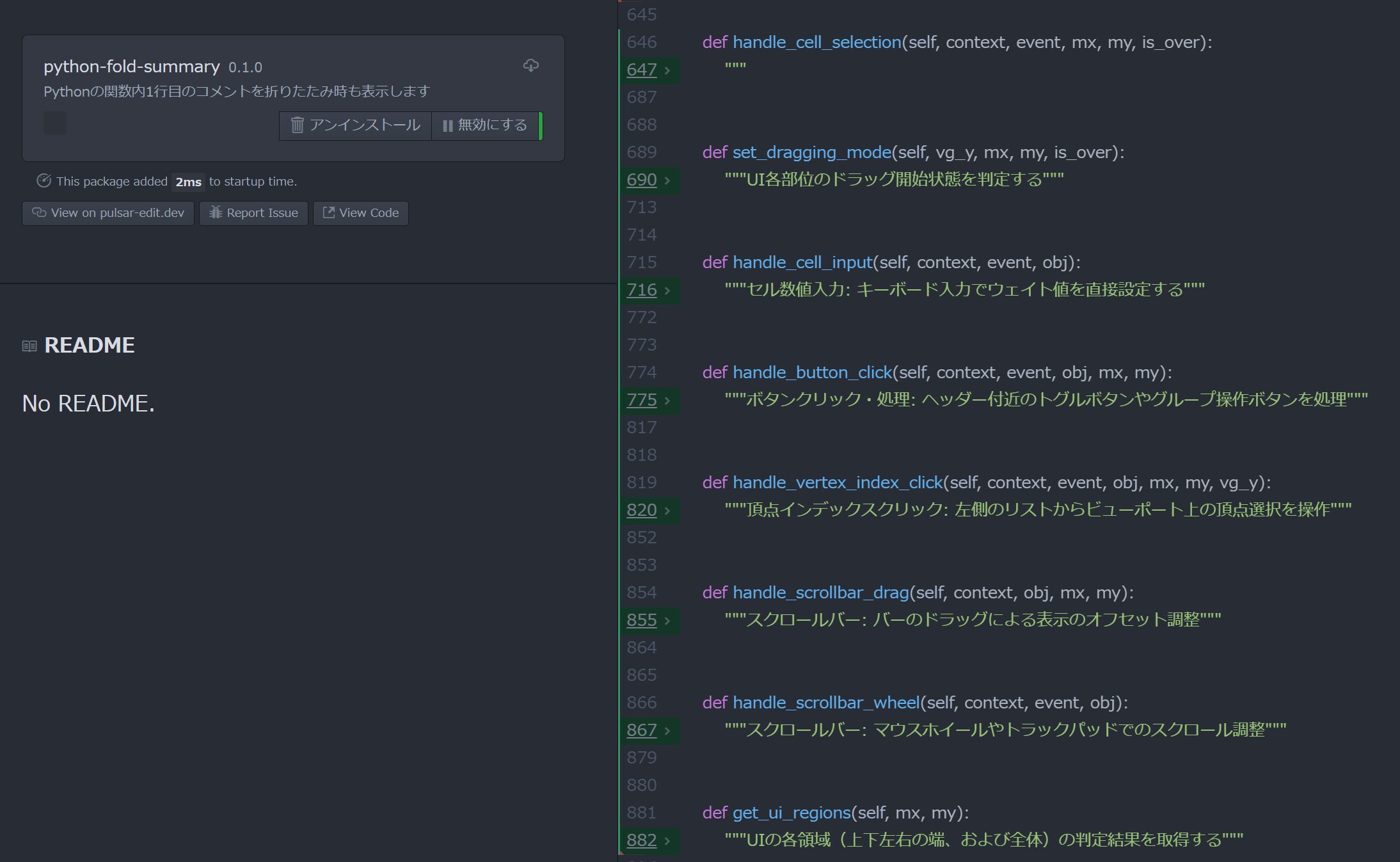
Pythonは、関数内の先頭にコメント("""hoge"""のような)を付けるのが推奨されている。
エディターによっては折りたたみ状態でこのコメントを表示することが可能である。
Pulsar Editorでもできないかと思い、Geminiに頼んでみたら1発で使えるものが生成されたので配布する。
今までこのコメントの書き方は、折りたたむと見えなくなって使い勝手悪いと思っていたが、改善できて使用感がよい。
コード
上のzipファイルをダウンロードし、
「C:\Users\<ユーザー名>\.pulsar\packages」に追加し、
Pulsar Editorを再起動する。
内容
Geminiでは直接ZIPファイルとして送信できないので、下記のシェルスクリプトとして掲載された。
これをターミナル(またはコマンドプロンプト)で実行すると、必要なディレクトリ構造とファイルを一括で自動生成できる。
デスクトップなどの作業ディレクトリで、以下のコードをファイル(例:make_package.sh)として保存して、コマンドプロンプトで、実行する。
もしくはコマンドを順番にコピー&ペーストする。
# 1. ディレクトリの作成
mkdir -p python-fold-summary/lib
mkdir -p python-fold-summary/styles

# 2. package.json の作成
cat <<EOF > python-fold-summary/package.json
{
  "name": "python-fold-summary",
  "main": "./lib/main",
  "version": "0.1.0",
  "description": "Pythonの関数内1行目のコメントを折りたたみ時も表示します",
  "engines": {
    "pulsar": "*"
  }
}
EOF

# 3. lib/main.js の作成
cat <<EOF > python-fold-summary/lib/main.js
'use babel';

export default {
  activate() {
    this.subscription = atom.workspace.observeTextEditors(editor => {
      if (editor.getGrammar().scopeName === 'source.python') {
        this.customizeFolding(editor);
      }
    });
  },

  customizeFolding(editor) {
    if (!editor.displayLayer) return;

    const nativeFoldBufferRange = editor.displayLayer.foldBufferRange.bind(editor.displayLayer);

    editor.displayLayer.foldBufferRange = function(bufferRange) {
      const nextRow = bufferRange.start.row + 1;
      const lineText = editor.lineTextForBufferRow(nextRow);

      // 1行下がコメントまたはdocstringなら、折りたたみ開始位置を1行下げる
      if (lineText && (lineText.trim().startsWith('#') || lineText.trim().startsWith('"""') || lineText.trim().startsWith("'''"))) {
        bufferRange.start.row = nextRow;
      }
      return nativeFoldBufferRange(bufferRange);
    };
  }
};
EOF

# 4. styles/fold-style.less の作成
cat <<EOF > python-fold-summary/styles/fold-style.less
atom-text-editor {
  .folded .region {
    background-color: rgba(0, 150, 255, 0.1);
    border-radius: 2px;
  }
}
EOF

# 5. ZIP圧縮
zip -r python-fold-summary.zip python-fold-summary/

echo "完了しました! 'python-fold-summary.zip' が作成されました。"